

Ameba
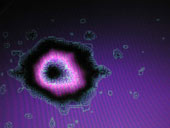
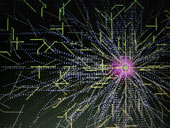
Ameba has been developed to provide a multisensory environment (sound & images) for profoundly disabled people to explore.
This package has been produced with a focus towards children. However, you should find it to be useful with adults too!
Ameba can be controlled by many different devices - all at the same time!
-Switches plugged into your PC will work (up to 8). These need to be switches that either press mouse buttons or generate keystrokes between 0 and 8.
-It also works really well using a mouse (including Head Mice), trackerball or Touch Screen.
-A microphone plugged in will find ameba responding to both volume and fricative sounds (such as "sh" and "s"). It also responds a little to pitch.
-A standard games joystick, game pad or steering wheel will give many options as users press the different buttons and move the cursor.
Sometimes things happen when you press a switch, sometimes when you release, and sometimes when you hold it down. Moving the cursor (even if you can't see it) always produces a result. You can even press several switches/ buttons/ keys together!
Windows: Compatible with Win95 and later versions
Recommended for: Sensory, Profound & Multiple Disabilities, Visual Impairment, Cause & Effect