


MagniLink Student Addition
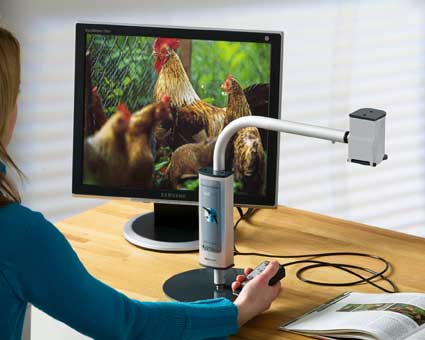
MLS Student Addition is a portable CCTV for connection to a computer or directly to a monitor/TV. The system is based on the highly appreciated MLS Student, but has been substantially refined and improved. The combined reading and distance camera and the
compact design makes it ideal for use in schools, universities and offices.Mobility
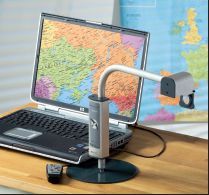
The compact size and the low weight makes it easy to carry around and it fits well together with a laptop in a larger laptop case. The unit is mounted in a couple of seconds and the connection to the computer is easily done through the USB 2.0 port. The MLS Student Addition is powered from the computer and no external power supply is necessary. The system is delivered with two bases: one with minimal weight for highest portability, and one larger base for increased stability.Combined reading and distance camera
The MLS Student Addition can be used for both reading and distance viewing and it is very easy to change between the reading and distance modes by tilting the camera head. Use the distance mode to look at the blackboard and use the reading mode to magnify your school books, magazines and other written material.Connection to computer or external monitor
The MLS Student Addition can be connected to both laptop and desktop computers and the connection is easily done through USB 2.0. The camera picture is presented in a Windows application and both the size and position of the window can be adjusted for different split screen modes. All system functions are handled directly from the computer keyboard. It is also possible to connect the MLS Student Addition directly to a PC monitor or TV set without using a computer. The functions are then handled from a separate control box.Snapshots
By simply pressing a button you can store and view high resolution images from the camera on your computer. You can for ex. make a snapshot of the blackboard and view the information when you get back home. In the same way you can also store handwritten notes and drawings from a paper.Auto focus
In distance or reading mode, the auto focus follows the object and the picture is automatically adjusted into sharpness. The auto focus facilitates reading of thick books with curved pages, for example dictionaries. In distance mode you can quickly change from looking at the blackboard to looking at the teacher with retained focus.Colours
Besides natural colours the MLS Student Addition also features high contrast negative/positive picture and artificial colours. Use the natural colour mode to look at presentations and pictures and use one of the high contrast modes to facilitate your reading. A guiding line allows easier reading.Main features
True auto focus
Guiding line
Natural colours - Artificial colours - Positive/negative picture
Connection directly to a computer or monitor/TV
All functions are handled from the keyboard or the control box
Magnification range, reading mode 1,5 - 55 x (15" monitor)
Total weight 1,2 kg (including the light base)
A number of useful accessories are available to MLS Student Addition.System Requirements
Microsoft® Windows® XP Home or Professional with Service Pack 2
1 integrated USB 2.0-port